Android Apps
List of apps that are useful for getting things.
Modded APKs
Manga
(ranked from preferred to good, top to bottom)
- Mihon
- Komikku ⭐, basically glorified Mihon it has Anime support and cross-device sync.
- Animetail, also a glorified Mihon it has Anime support and cross-device sync.
- Anime extensions can be found here. (copy URL address, Auto install button will NOT work)
- If need help in installing extensions there are video guides in Wotaku
- Doki (Successor to Kotatsu)
- Can import backups from kotatsu
- Might rename to Yaka, only go to this link if Doki is gone.
- Dontatsu
If you have a server: Sync server for Komikku or Animetail or just use GDrive
General Media (Anime, Movies, TV Series, etc.)
- In settings (bottom right), choose extensions
- Tap add repository (in bottom right)
- In URL, put megarepo
- A "Mega repository" will appear in the list of extensions, tap it
- Download "Mega"
- Go back to list to see every extension available
- Recommended Extensions: CineStream (in Megix repo), Ultima (in Phisher repo)
- idk if these repos still exist (been too long since i setuped cloudstream lol), look in wiki page for up to date info
If unable to download using browser you can make use of local send to share the APK file
YouTube Android TV "Mod"
- Press profile picture seen in top left.
- If many accounts, you can also long press the profile picture to display a list of accounts.
Modded YouTube
For Login support install MicroG
Install through Obtainium
(Downloads from FiorenMas's GitHub)
YouTube Morphe ⭐
YouTube ReVanced
Manually Building
- Morphe ⭐
- ReVanced
Click here to see Morphe Instructions
-
Download Morphe Manager
-
Open manager
-
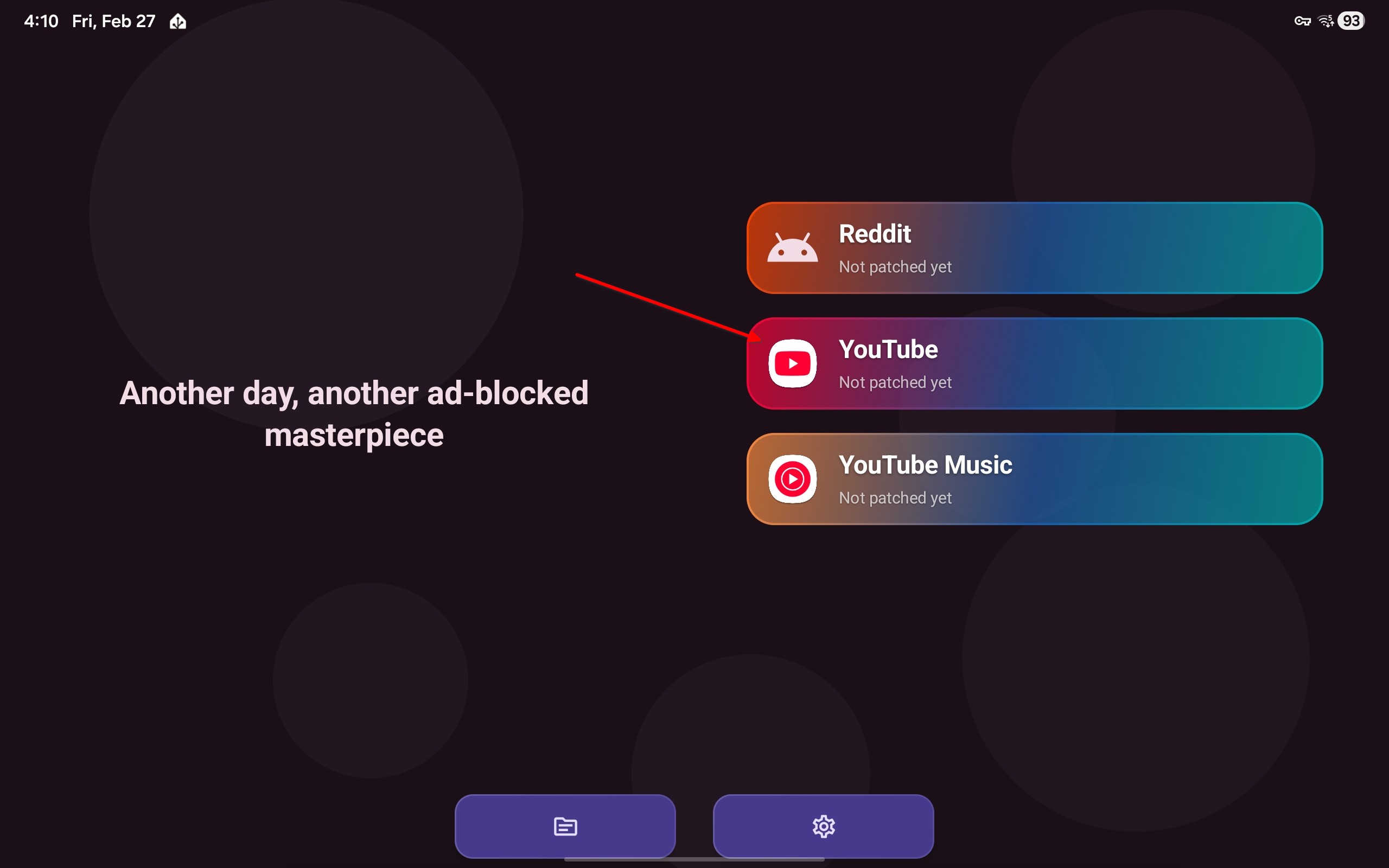
Tap YouTube
-
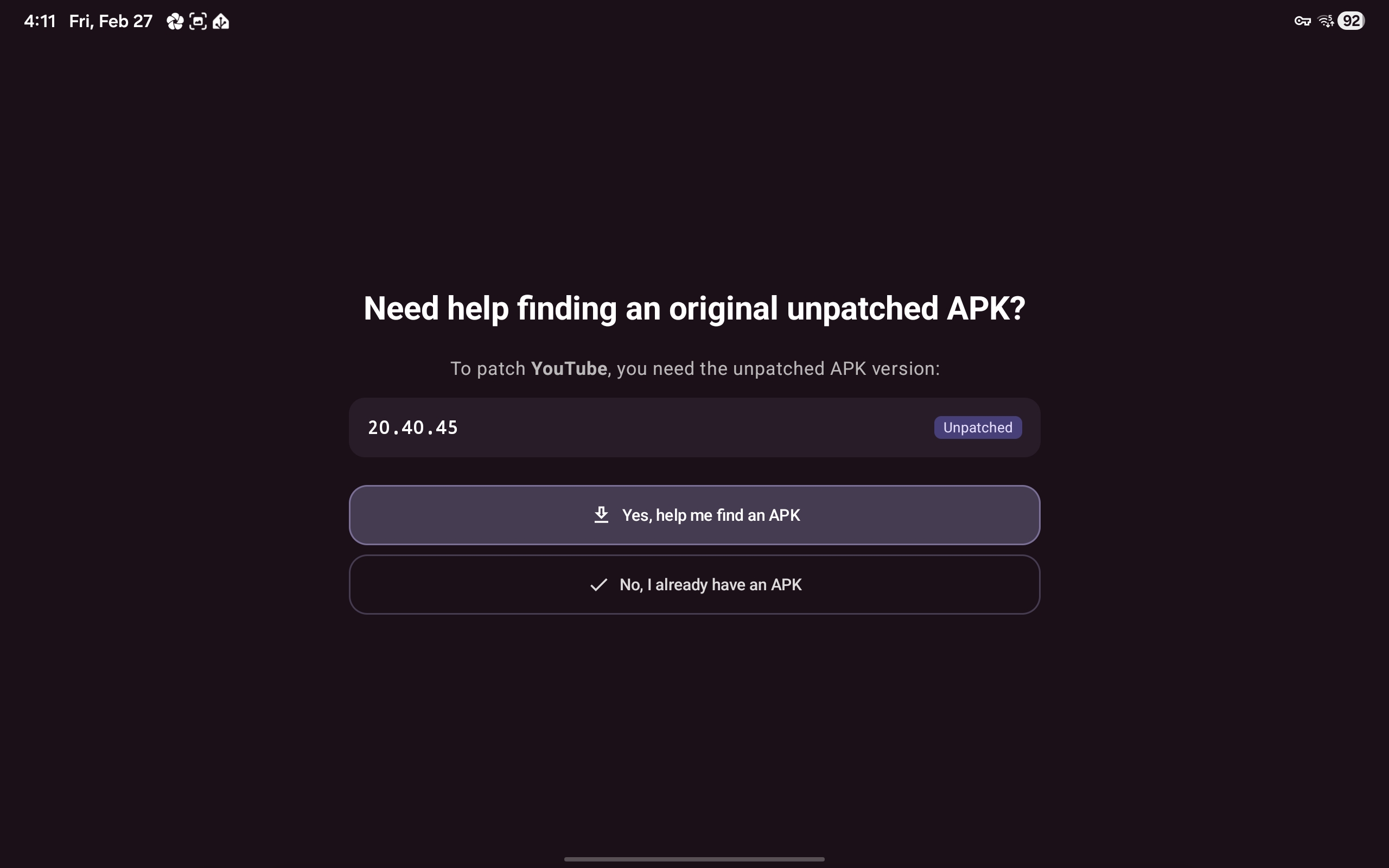
Choose "Yes, help me find an APK"
- if you already have downloaded the APK choose the latter option, then skip to step 8
-
Tap "Continue to APKMirror.com"
-
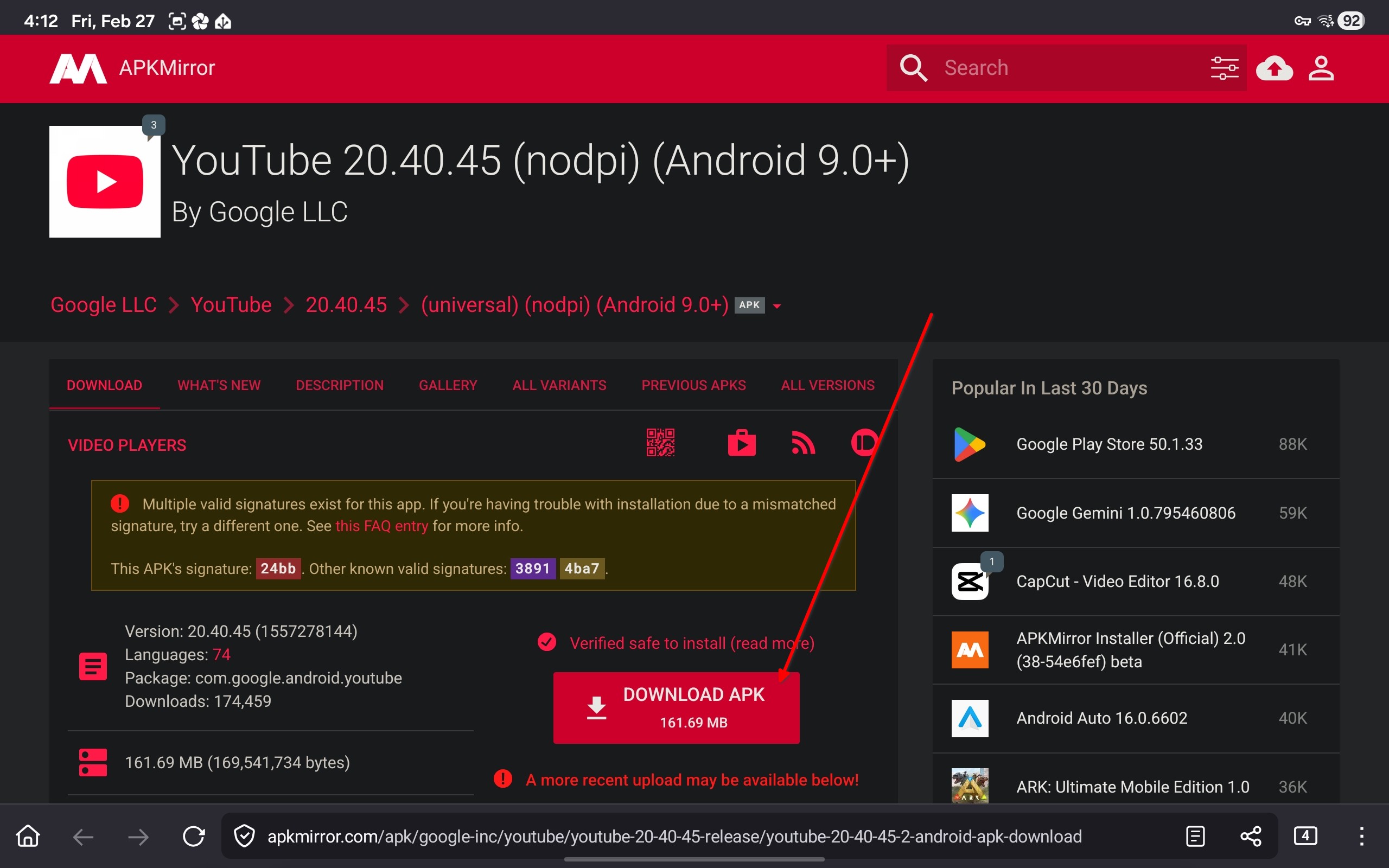
Download YouTube APK
-
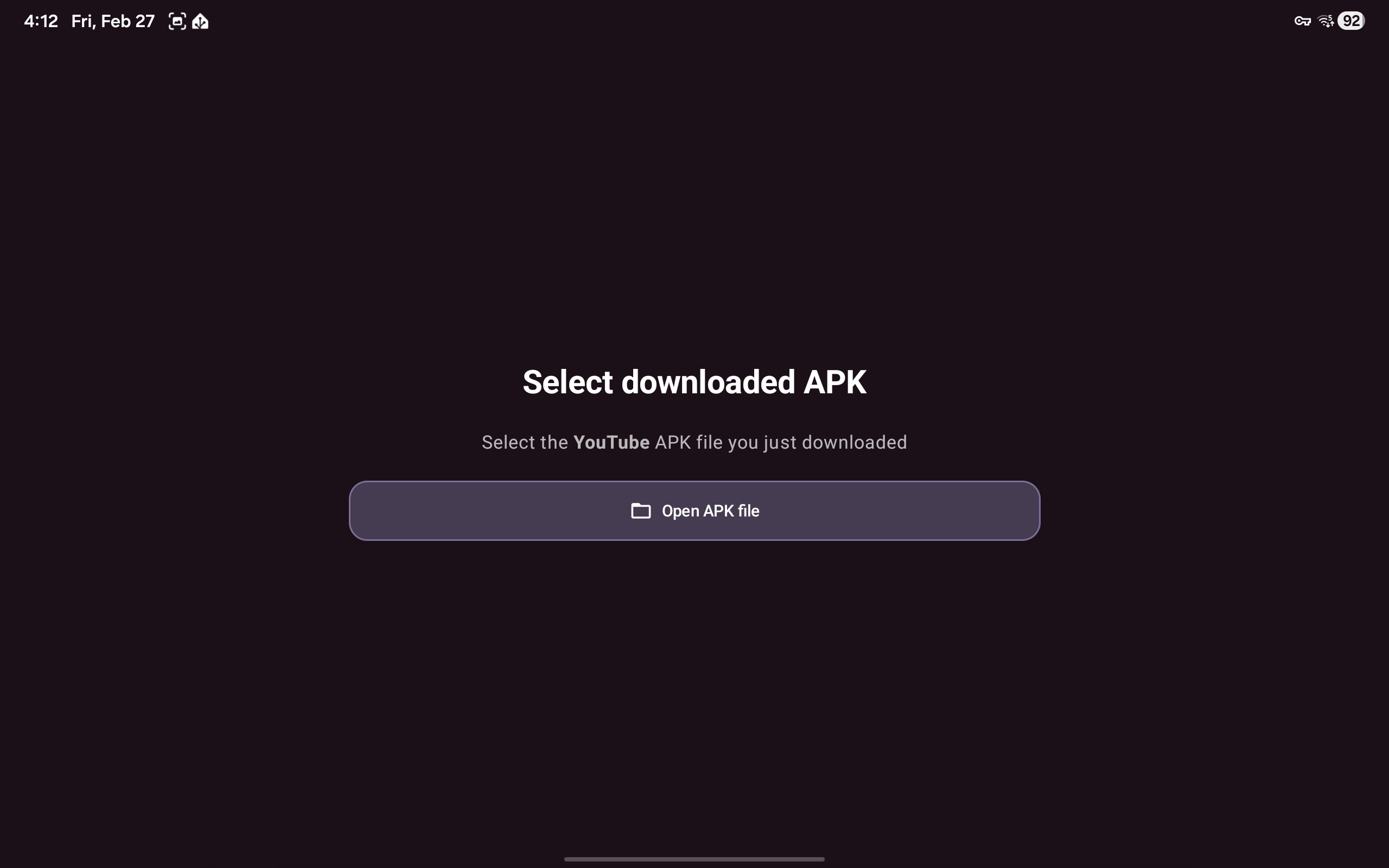
Then tap "Open APK file"
-
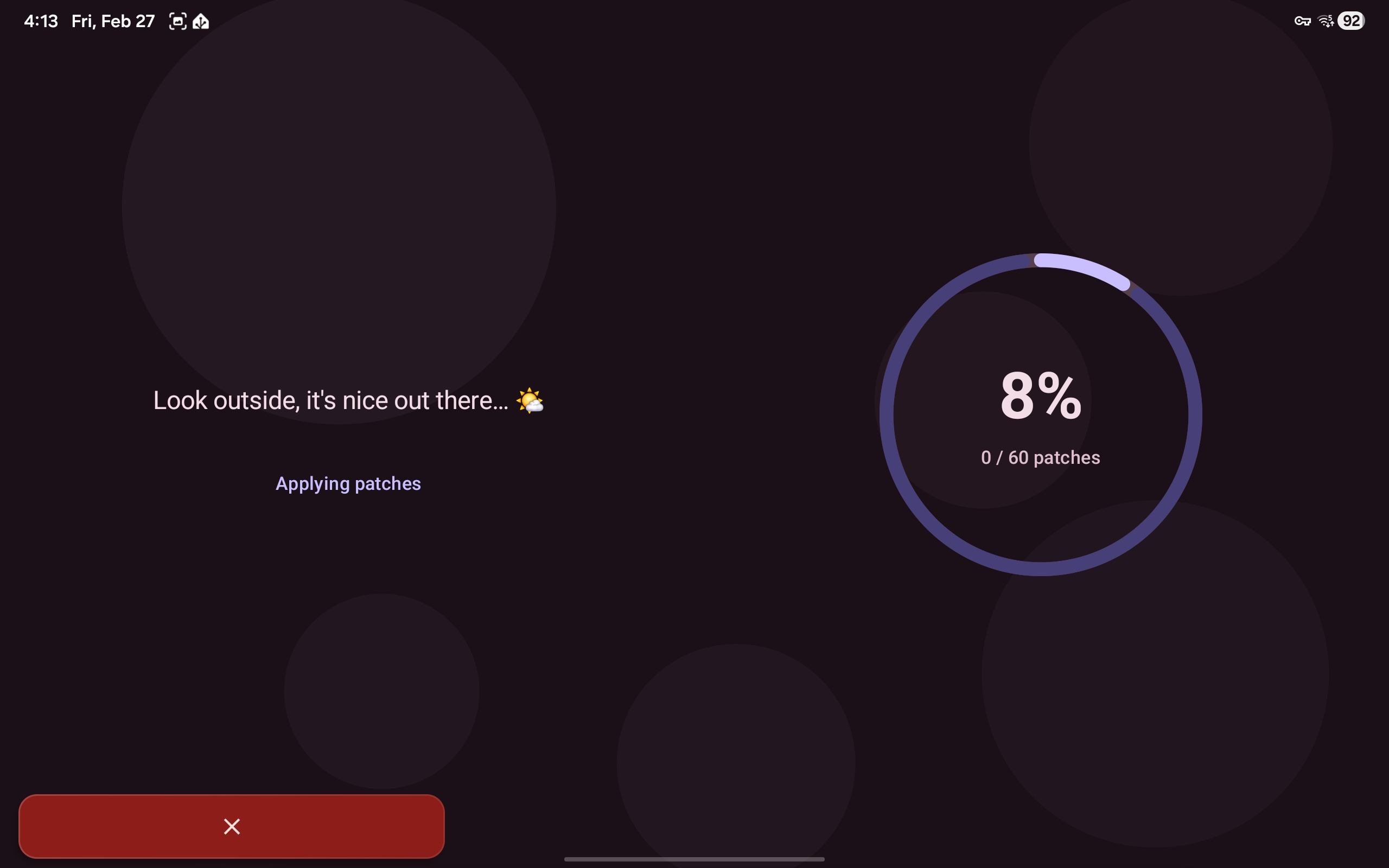
Wait for patching to complete, this usually takes a couple of minutes
-
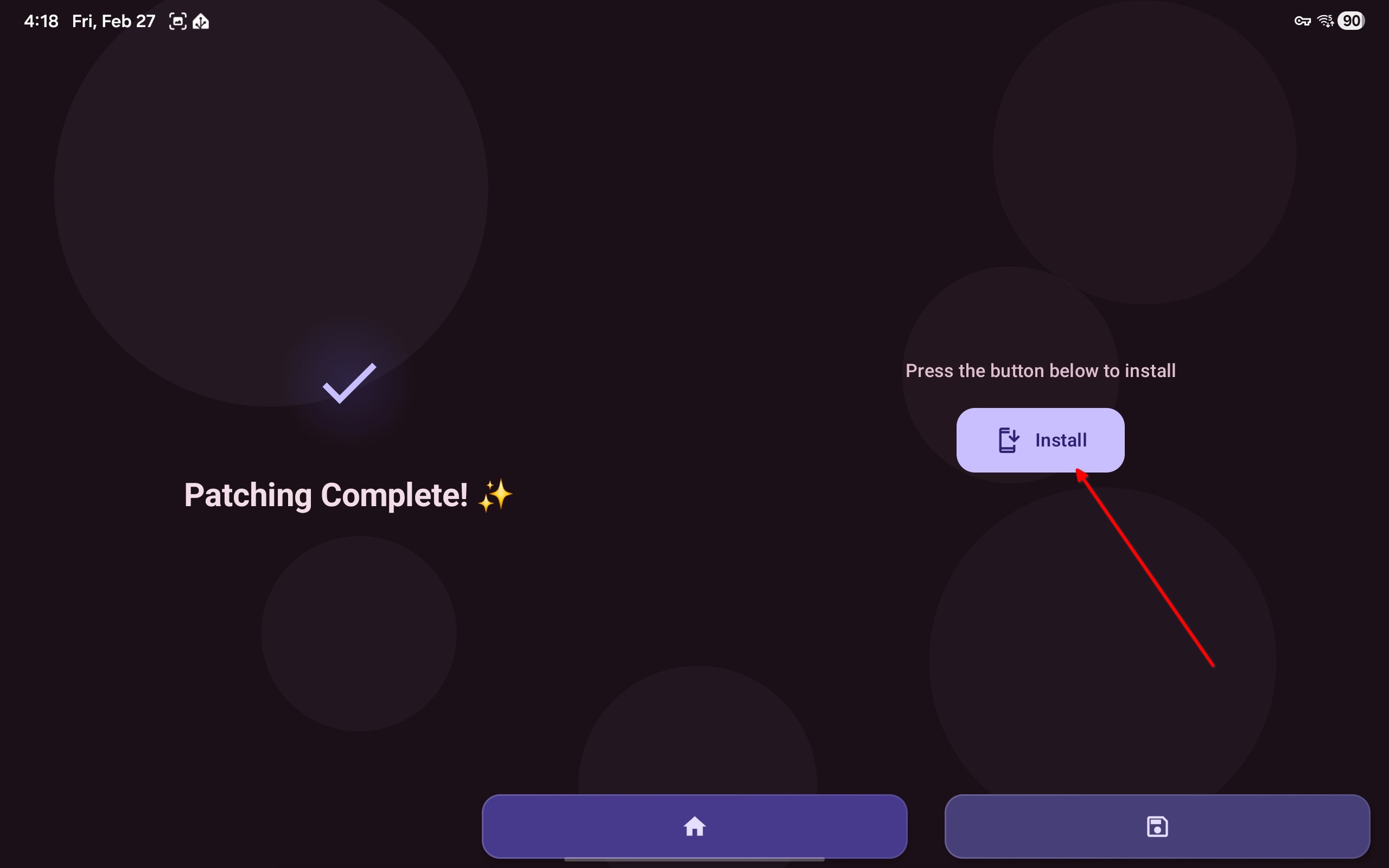
Press install button
Click here to see ReVanced Instructions
-
Download ReVanced Manager
-
Open manager
-
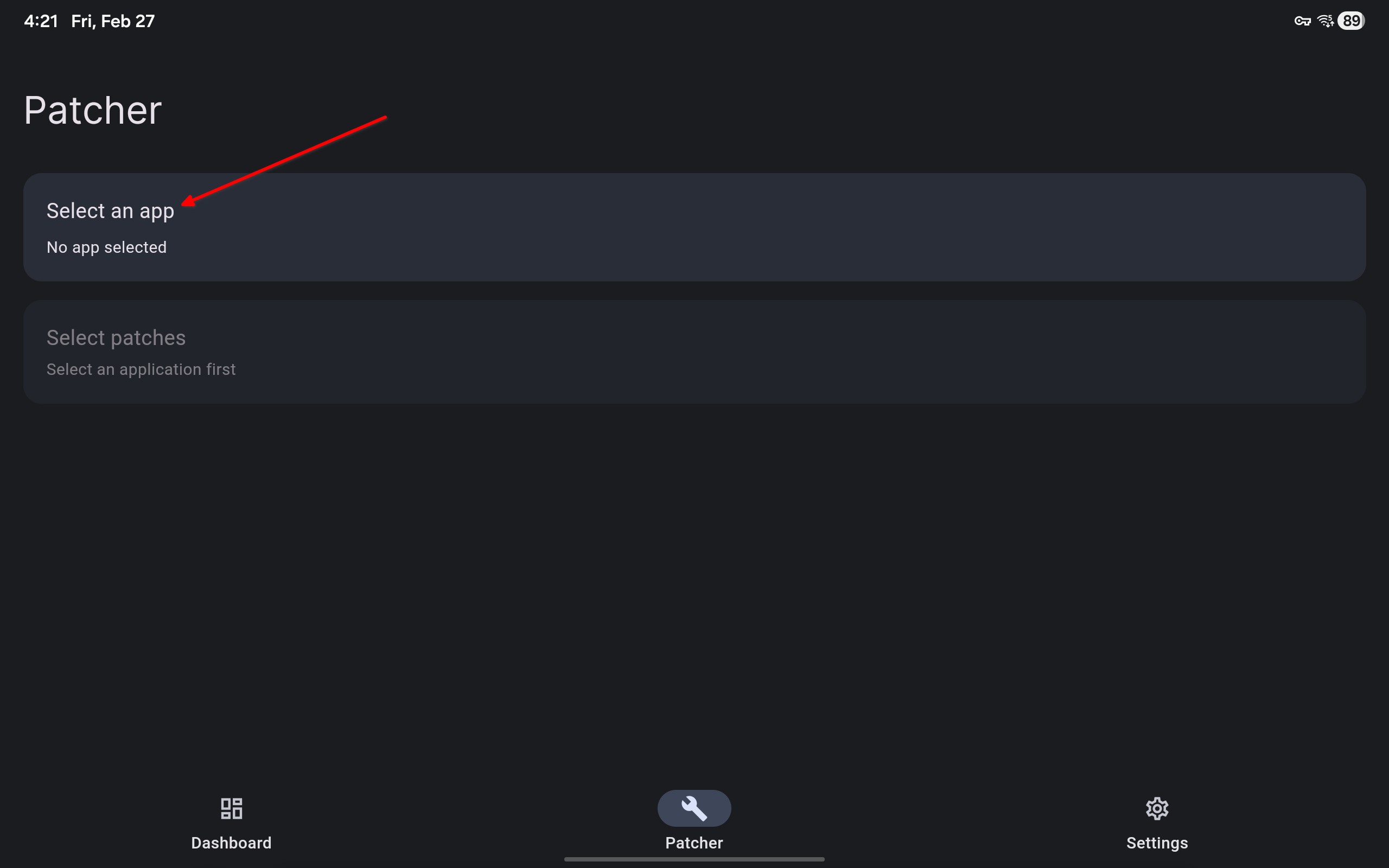
Tap "Select an app"
-
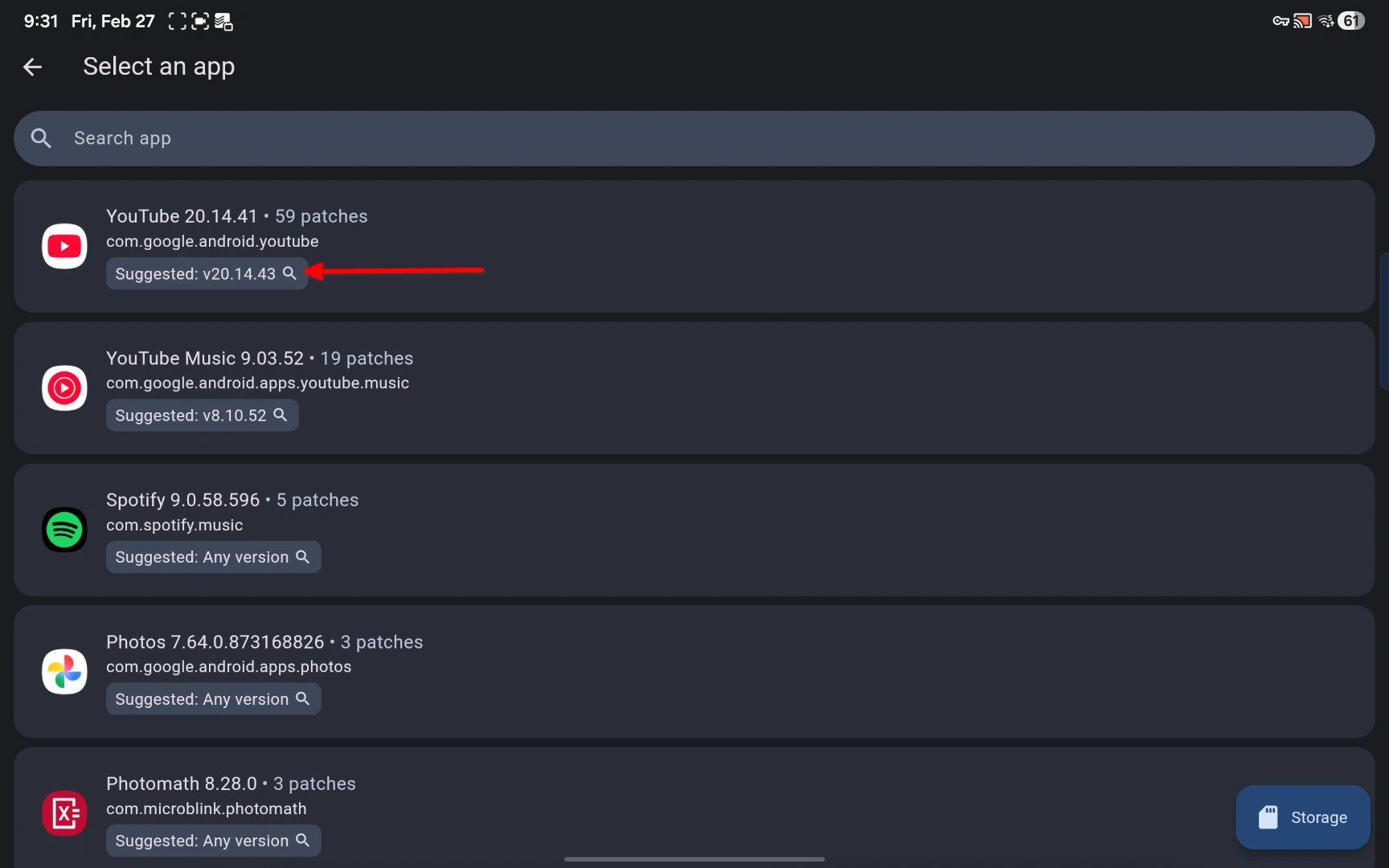
Tap the version numer under YouTube
-
Find APKMirror in search results, download APK from APKMirror
-
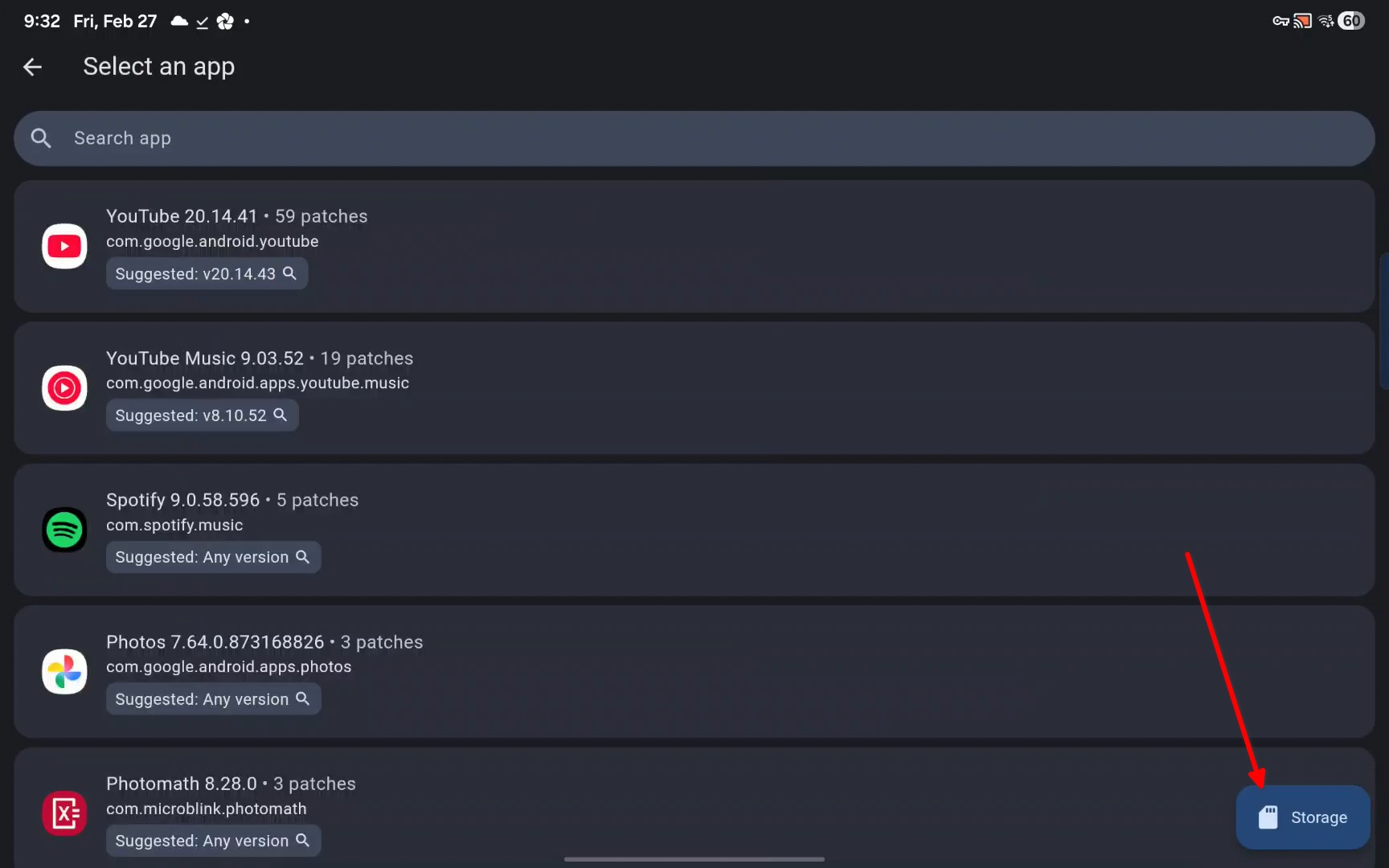
Open ReVanced Manager, tap the storage button in bottom left
-
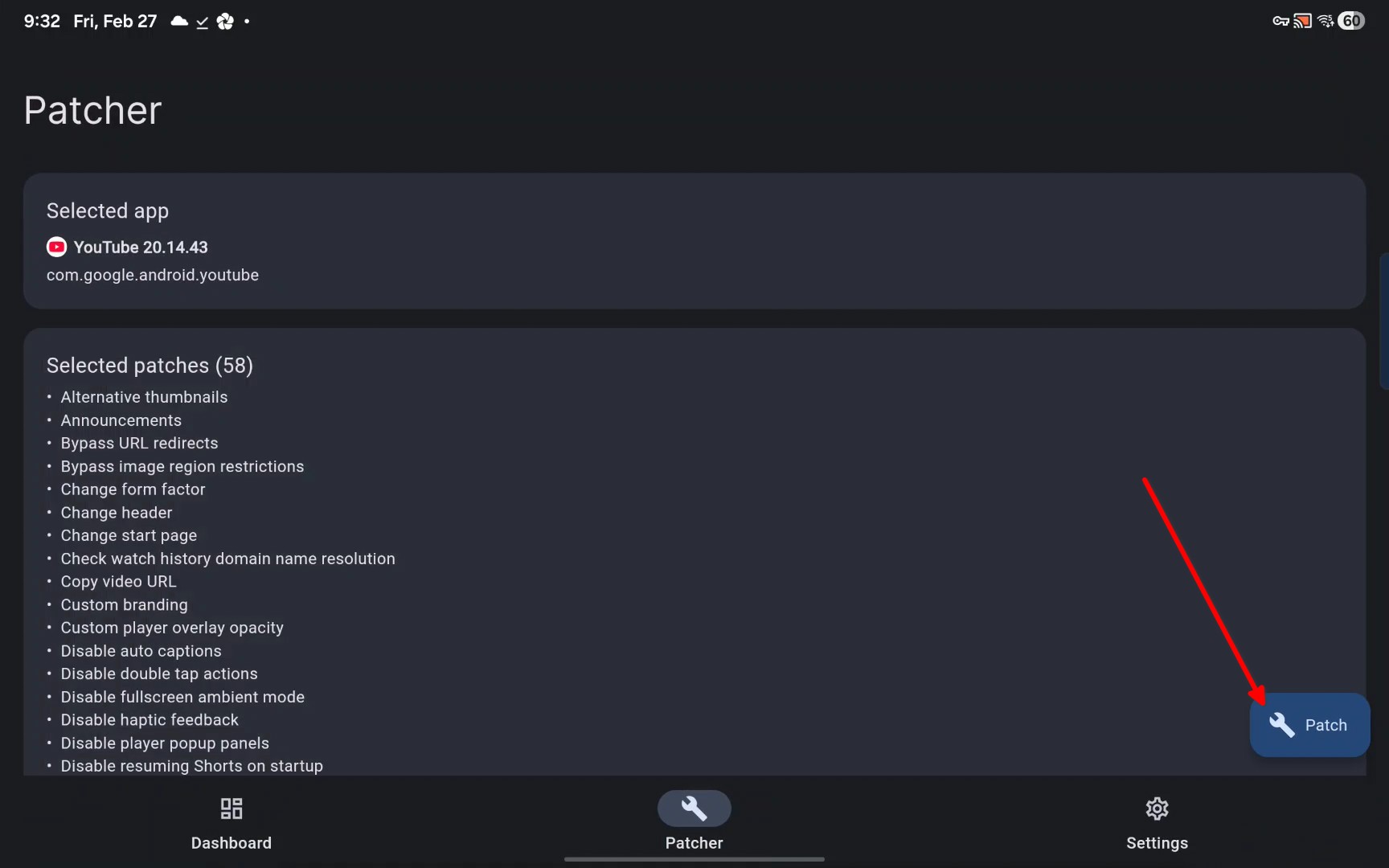
Tap the patch button in bottom left
-
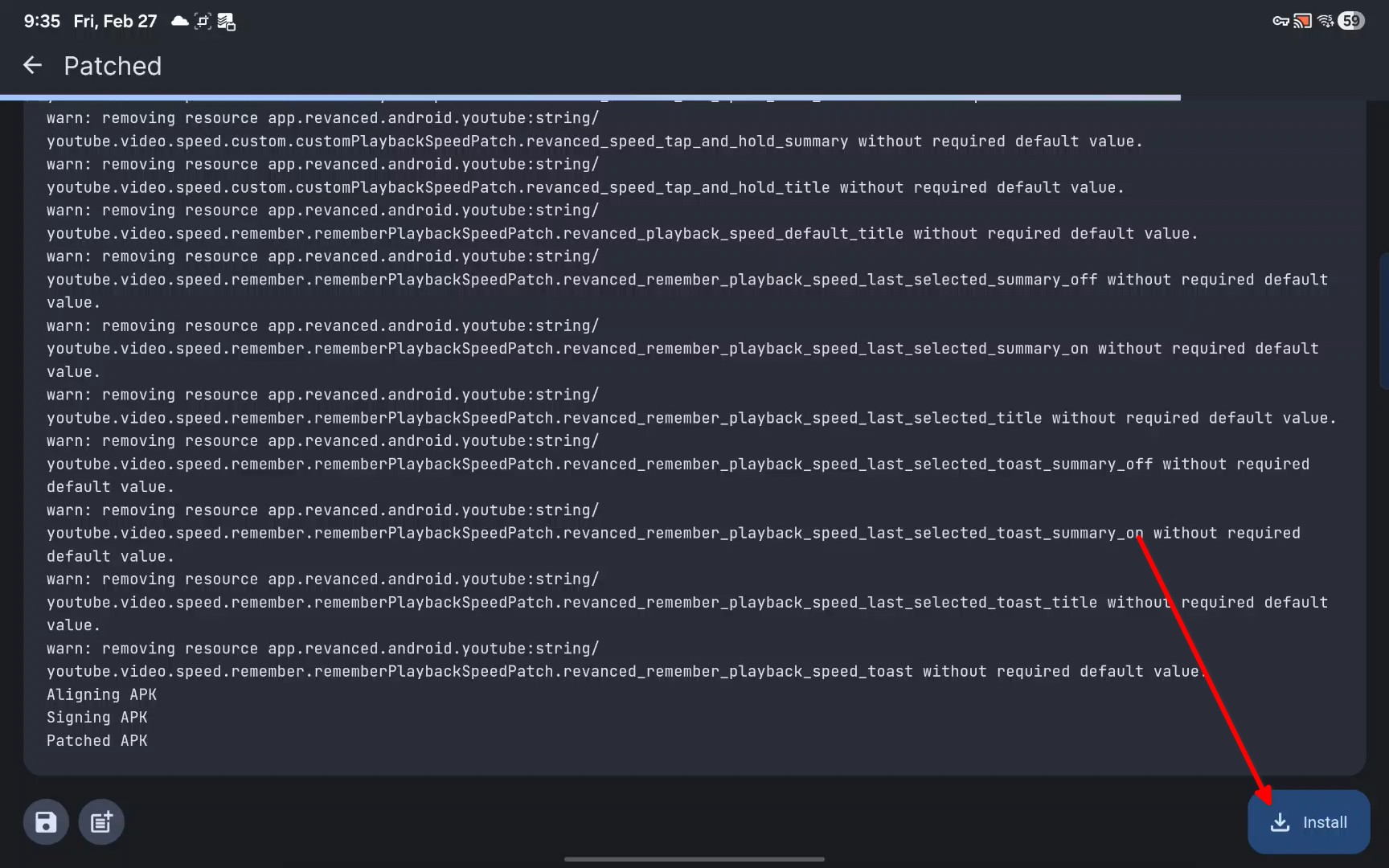
Wait for patching to finish
-
Install
YouTube Music
- Metrolist ⭐
- Custom client for YouTube Music
- Goated