Steam Family
Steam Family is a steam feature that allows up to 6 people to share game copies, caveat being needing to be within same household.
Exit Node
To bypass this limitation we can use tailscale's exit node feature.
Owner is the owner of the steam family
Guest is the people that will join the steam family
-
Owner: Have the owner of the steam family have a tailnet setup.
-
Owner: Set a device to allow exit node (If possible have this device be online 24/7 e.g. a phone)
Ensure that the device is allowed to be an exit node in the Web GUI
- Owner: Share the device

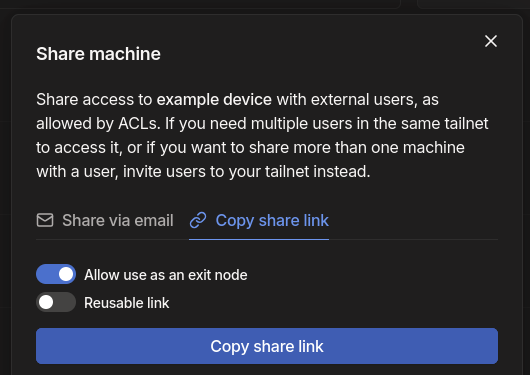
- Owner: Send the link to others
People who you shared this node with can have their outbound traffic go through your internet. Make sure you only share this with people you trust
-
Guest: Have tailscale installed on their device (have them also setup tailscale)
-
Guest: Open the link from the owner
-
Guest: In tailscale settings, set the exit node to the device from the owner of the steam family.
-
Owner: Send a steam family invite link to the guest.
-
Guest: Accept the invite
-
Guest: Join the steam family
-
Guest: Unset the exit node in tailscale. (you can now also uninstall tailscale, for the Owner can also unshare the node.)
-
???
-
Profit