Syncthing
Syncthing is a continuous file sync program
Installing
- Install Synctrayzor
- This is a wrapper for syncthing for ease of user
- Alternative: Synthing Tray
- Follow Setup Wizard
Adding a Device
- On "Host" Device
- On "Client" Device
- Get the device's ID (see below for visual aid).
On the top right of the WebGUI:
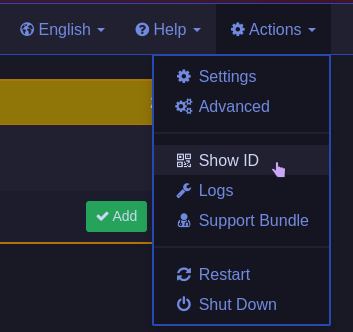
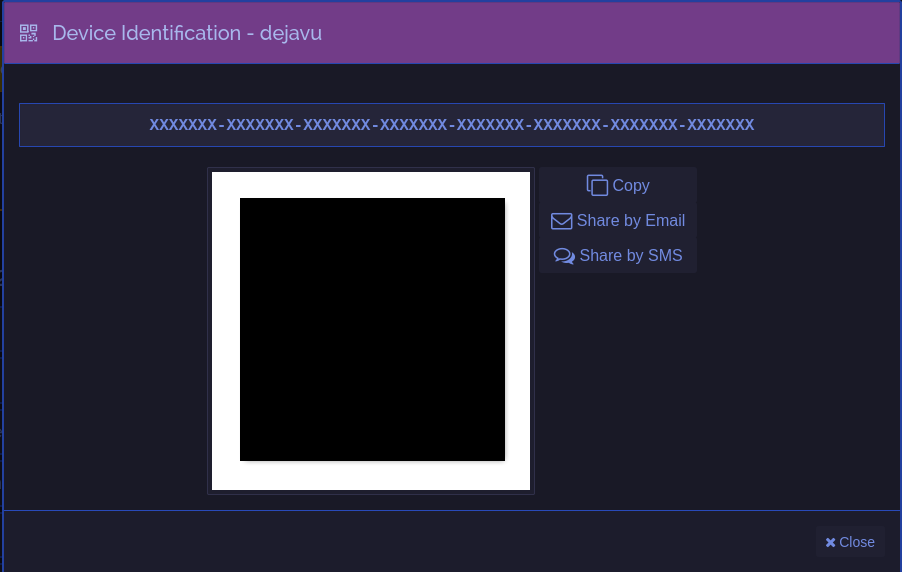
The ID in this case is
XXXXXXX-XXXXXXX-XXXXXXX-XXXXXXX-XXXXXXX-XXXXXXX-XXXXXXX-XXXXXXX
- Click the Copy button to copy the ID; this will be used later.
- Similar to adding a folder, click Add Device.
 Click "Add" (image is reused from adding a folder)
Device Options
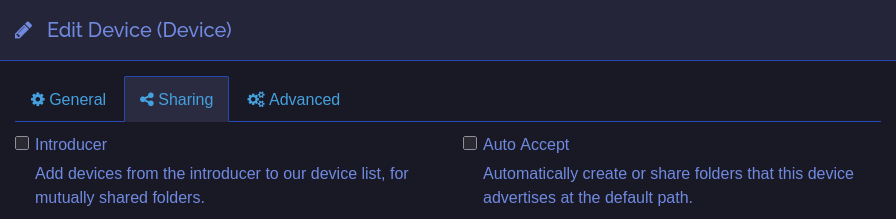
- Introducer
- Recommended for a "hub" (usually a server/computer that is always on).
- Useful when there are many devices; if all devices have the hub set as an introducer, Syncthing automatically shares the folder with everyone.
- This is similar to how torrents work.
- Auto Accept
- Recommended for headless devices.
- Automatically adds folders to the default path (usually the "Syncthing" folder).
Adding a Folder Shared to You
- Wait for a popup to appear on top of syncthing interface
Click "Add"
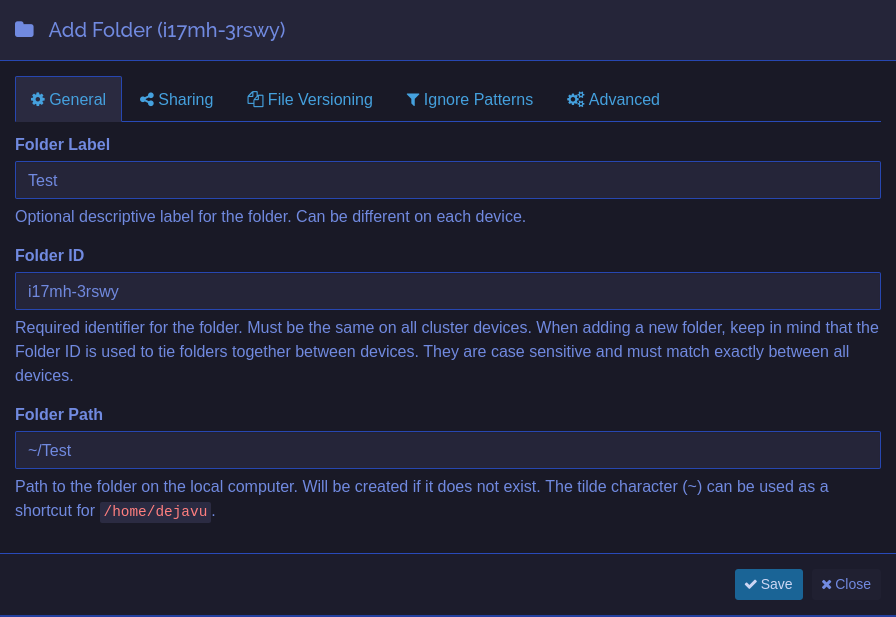
- Afterwards, change the "Folder Path" to where you want the files to be synced
Sharing a folder to others
- On the bottom of WebGUI, click "Add Folder"
- Input your Folder Label and Folder Path
- You can also change Folder ID, but default will do
- On top of popup, go to "Sharing" tab
- Here you will see of all the devices you have added
- Select all devices you want the folder be shared with
- Click "Save" if you are done