Getting Started
Here I will yap about how to use linux from 0 background knowledge as best as I can (probably will fail).
Choosing what Linux "Distro" to use
- Distro or Distribution is usually just a collection of pre-installed programs in your system
- Usually contains the Linux kernel, GNU Utils, systemd, and other "bloat"
- To see my recommendations click here
Things to Search for in a Distro
- Ordered from most important to least
Desktop Environment
- This will be your main user interface, the main look of your computer.
- Choose any DE that you want the look of
Here are some DEs that I know of:
KDE ⭐
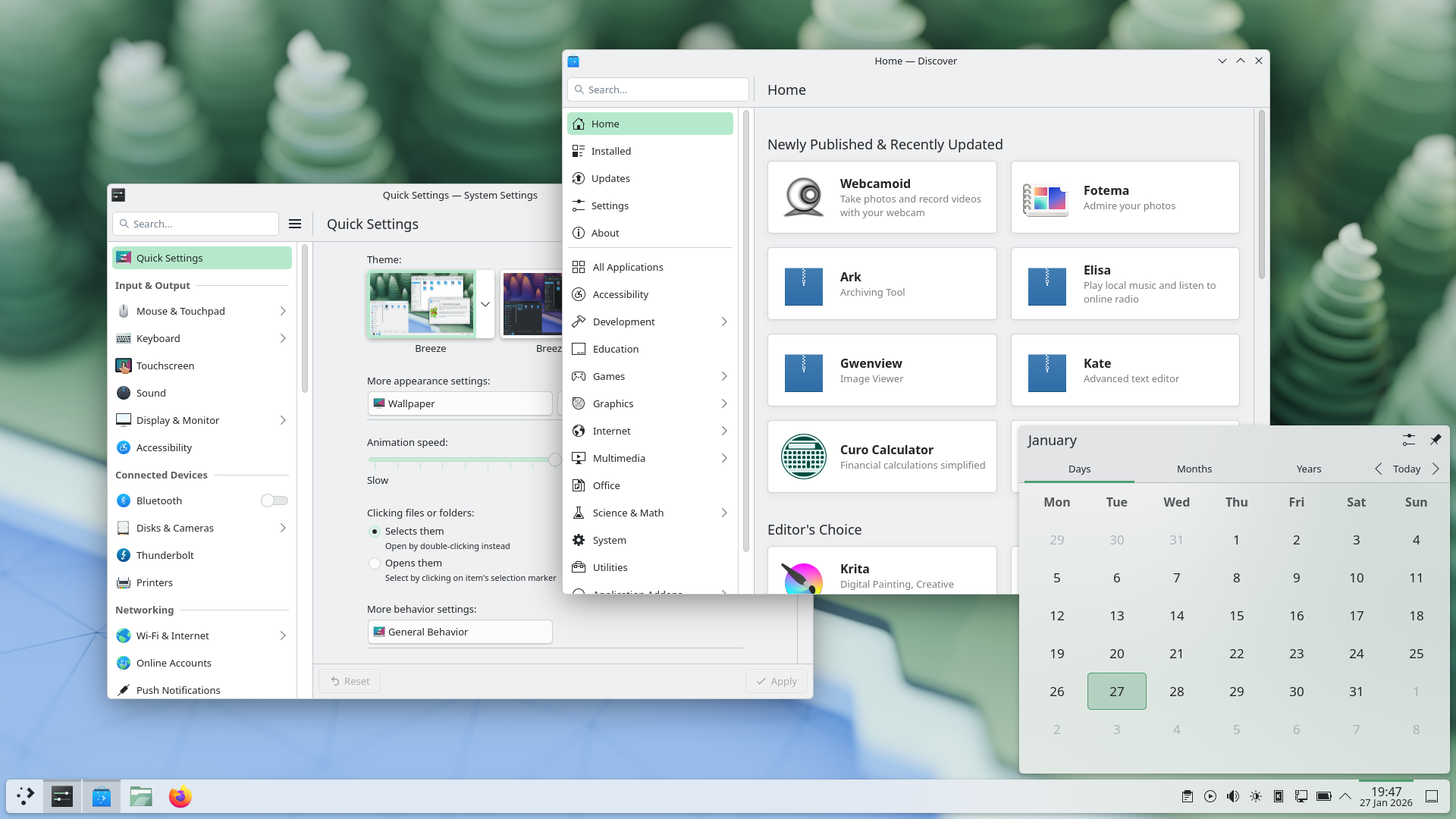
- KDE's design philosophy is "being powerful but simple"
- Extremely custimizable
- Supports latest technologies like HDR and VRR
- I recommend to use KDE because it supports all the features that you might need and then more
GNOME
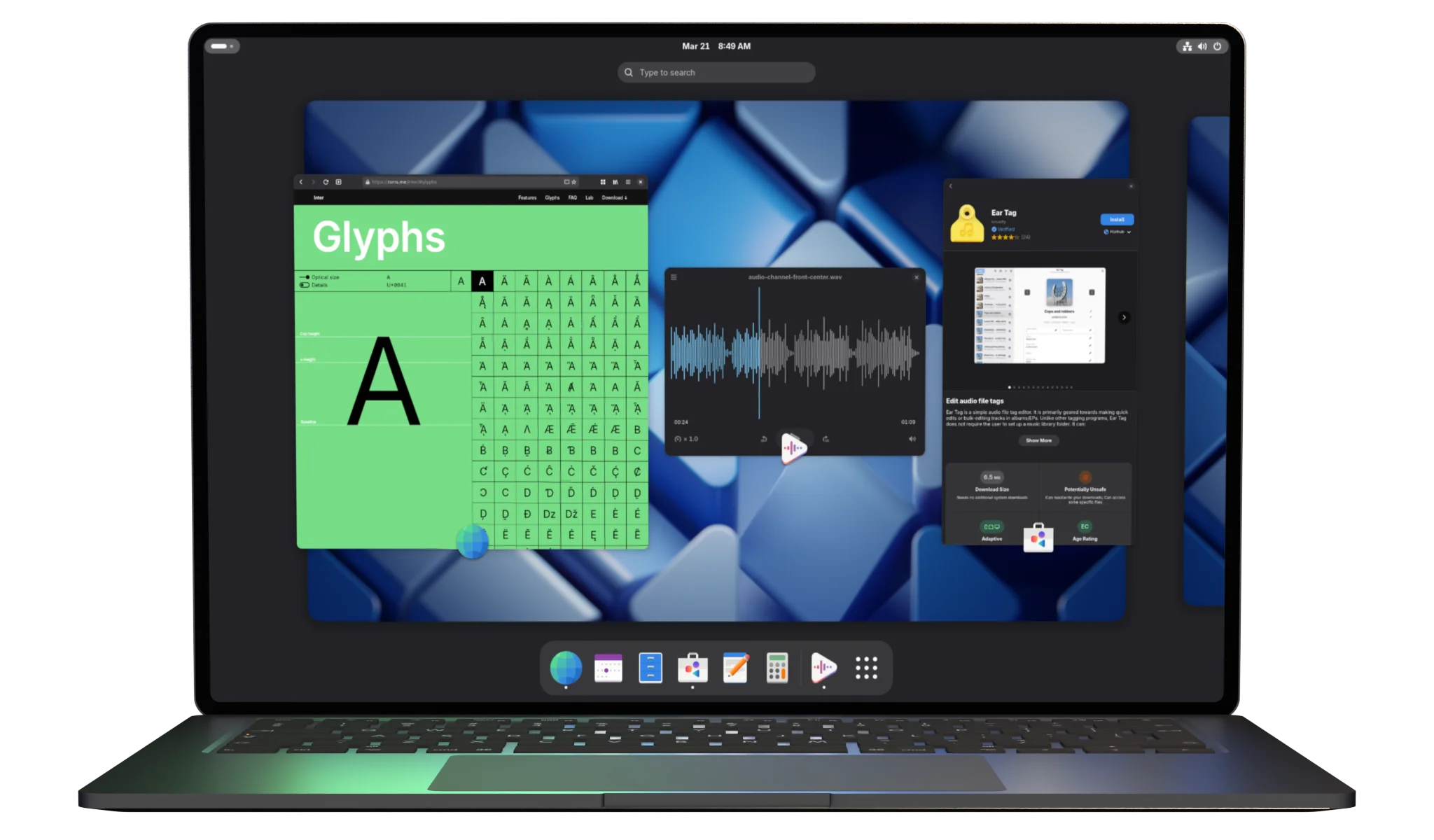
- GNOME is very simple in design and features
- It just works
- Many applications follow it's design language
- If it lacks any features that you might want, like a toolbar, you will need to install extensions that will break every time you update GNOME
Others
- Cosmic
- System76's own DE
- Default in PopOS
- Very early in development, expect bugs
- Cinnamon
- Similar to GNOME
- Default in Linux Mint
Window Managers
note
Don't really recommend using these if you just want to use a computer.
- Not really a "DE" as it only manages windows, hence the name
- Very configurable and lightweight
- Hard to use for a new user since it will require editing a lot of text files
- can use "Dotfiles" to get a preconfigured WM to use
- Examples:
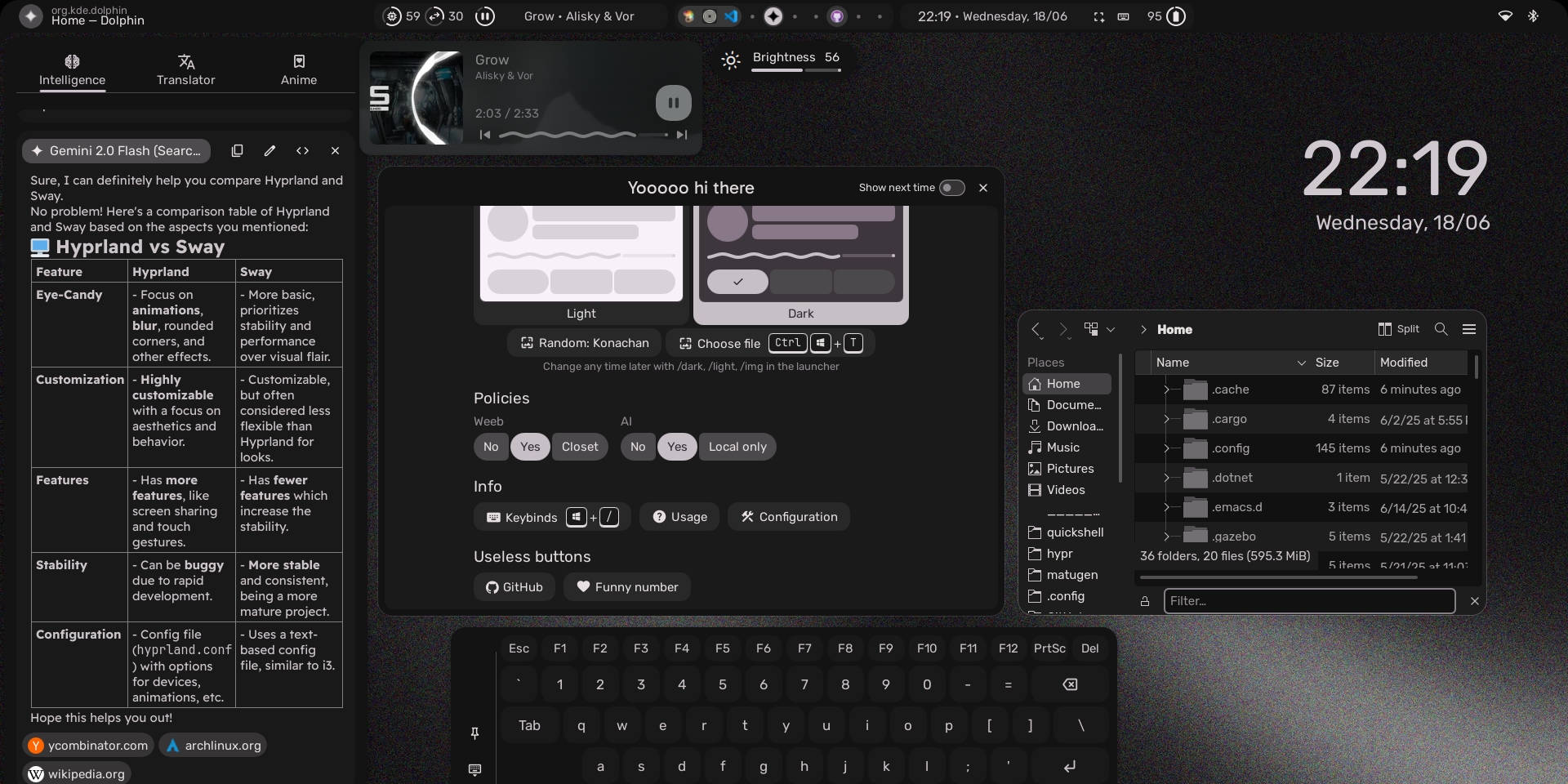
- Hyprland
- Standard dynamic tiler with good animations and looks
- Good dotfiles by end-4: https://ii.clsty.link/en/general/showcase/
- Niri
- Scrolling tiling WM
- Good for ultrawides
- Hyprland
GUI vs Terminal
GUI
- You're probably using one right now to see this
- Visual, you can see what you can interact with
- Example distros would be Mint and Bazzite
Terminal
- Text based
- Easily scriptable
- Example distros would be EndeavorOS and CachyOS
note
Most distros offer GUI to do most things you will do, like installing applications.
Atomic vs Immutable
Atomic ⭐
- Updates are "version controlled", if any issues occurs you can rollback to a usable system
- System is "snapshotted" every updates, or even on-demand
Immutable
- System files are read-only
- Think of window's System32 folder but now you can't delete or interact with it
Recommendation
- If you are not a tinkerer just uses a browser, communication, and gaming use Immutable systems
- If you want to customize like installing extensions or system level application then use Atomic systems
- Always use Atomic distros to have a way to rollback your computer to a usable state
Release Cycles
Rolling
- System always updates continously
- Think of Windows 10/11 constantly wanting to update
Standard ⭐
- Releases updates in "bundles"
- Releases as major updates
- Think of Windows 10 to Windows 11
LTS
- Basically standard but updates even slower
- Very stable
Recommendation
- Standard
- If you want to suffer and fix stuff as you go rolling release is good
- Your system would also be always at bleeding edge, having latest updates as soon as it releases
Bootloaders
- The thing used to boot your system
GRUB
- It just works
- Works even with very old computers
- Old
- Stable
- Bloated
- Slow
Limine ⭐
- Works
- Modern
- Stable
- Lightweight
- UEFI only
- Basically modern computers have this, if your motherboard has a fany GUI as a configurator then its UEFI
note
Use GRUB if you want more resources to fix things as it's been here since the era of dinosaurs. Limine is just a faster modern alternative that has a better snapshots/atomic integrations
Extra Information
- These information are not really tied to distributions
Dual Booting
- When installing a Linux Distro, the installer usually detects if a windows is present
- You can choose to nuke it and only have linux
- or, have them both
- Don't really recommend this as a Windows update could nuke your Linux bootloader
- Window's EFI partition (technical thing), by default is small and would probably not fit
- Very edge case
Filesystem
- The thing that is used to store your files
EXT4
- It just works
- Old, stable
- For windows compat: https://github.com/bobranten/Ext4Fsd
BTRFS ⭐
- Modern and stable
- Snapshots
- For windows compat: https://github.com/maharmstone/btrfs
NTFS
- Windows thing
- Will probably break under linux, requiring a Windows install to fix
- Under Linux this runs under FUSE
- Which can make your system very slow in a hybrid (SSD+HDD) setup
NTFS to BTRFS converter
https://github.com/maharmstone/ntfs2btrfs
Do NOT use for very important files
- Convenient to use when switching from Windows to linux
NTFS in Linux
- As much as possible do not use NTFS in linux, even in dual boot.
- Using NTFS is currently unbearable, expecially when it comes to wine prefixes
- Documentation from Valve: https://github.com/ValveSoftware/Proton/wiki/Using-a-NTFS-disk-with-Linux-and-Windows
Packaging
Native
- Distro specific
- Usually maintained by the distro
- Dependency hell
- I recommend to use this for things that needs system level
- These things include but not limited to:
- VPNs
- DE customization (Calendar support in KDE's widget)
- Syncthing
- These things include but not limited to:
Flatpak
- Sandboxed application
- Works in any distro
- No dependency hell
- Restrictive permission wise
- This will be very annoting fast, as linux does not have the same popups in phones where you can just give access to application permssions
- Use Flatseal or KDE's settings (requires
flatpak-kcm) to configure permissions
- Has bazaar which is a very good store front
AppImage
- Works in any distro
- Usually distributed by the devs themselves
- Sometimes dependency hell
- Does not have any stores
- Does not integrate well with the system
- Can be solved with Gear Lever
snaps
- Flatpak but worse
- Proprietary store front only controllable by Canonical (Ubuntu maintainers)
- Requires AppArmor for sandboxing, inherently incompatible with SELinux
- More focused for Ubuntu
Tar Balls
- Usually distributed by the devs themselves
- Basically like portable applications in Windows
- Sometimes dependency hell
- Not integreted to you system in any ways